Free
Try live captions with one operator.
$0
Free forever
- 30 transcription minutes / month
- 25K translation characters / month
- 10K spoken caption characters / month
- 3 saved events · 2 languages / event
Turn one live audio feed into captions, multilingual text, spoken translation, and an event-supplied human ASL interpreter view. Deliver each experience to phones, stage displays, streams, graphics, and local production tools.
Free has no time limit · 30 transcription minutes each month · up to 50 concurrent viewers per event. See all plan limits
Animated demonstration of live captions moving from the operator workspace to the public audience view. Use the view and language controls above to change the demonstration.
Speakers [EN]
Start with your production
Choose the room you need to serve. Each path connects audience needs to the right delivery outputs, production tools, and preflight plan.
Give attendees captions, language choices, spoken audio, and QR-to-browser access across rooms and sessions.
Plan attendee accessCarry live text to stage displays, LED walls, personal devices, and graphics systems already in the venue.
Plan venue deliveryConnect cloud captions to overlays, Ross XPression, CEA-608/708 video, and contribution transports.
Plan broadcast outputsStandardize accessible introductions, panels, Q&As, operator preflight, and audience instructions across venues.
Plan a repeatable workflowProven in live production
Stadium graphics
FIFA World Cup
4ALL LIVE and XPression Bridge supplied real-time caption text to Ross XPression for an audience-facing LED wall.
Read the case studyMulti-venue delivery
15 venues
Live captions and translation combined attendee QR access, shared stage displays, and trained local operators.
Read the case studyMultilingual audience access
5 languages
Published attendee guidance named English, Spanish, Portuguese, French, and Japanese with browser-based access.
Read the case studySelected events and teams





Captions, translated text and speech, interpreter video, and production outputs often arrive through disconnected workflows. 4ALL LIVE coordinates them in one event workspace.
Attendees open the experience they need on the device already in their hand.

One scan opens captions, translated text, spoken audio, and, when the event supplies an interpreter, a human ASL video view.
Language, font size, contrast, colors, and scrollback.
Operators can confirm the source, languages, and destinations before the show starts.
Know it’s working before the house lights go down.
Encode sources, monitor signal, and bridge live text into graphics.
One live event can support several audience languages and output formats at once.
Multiple languages simultaneously.
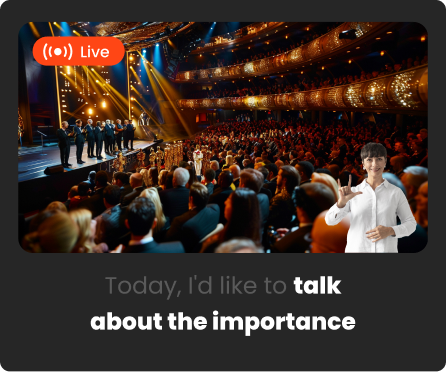
Low-latency spoken audio and a video layout for an event-supplied human ASL interpreter.
4ALL LIVE combines a browser-based event workspace with purpose-built desktop tools for audience access, captioned video, translated-audio routing, stage displays, broadcast graphics, and remote operation.
Scan a QR code, choose a language, read captions, listen, or open a human-interpreter video view — no app required.

Language, font, contrast, colors, and dyslexia-friendly mode.

Read live text, listen to low-latency spoken audio, or open the interpreter view.
Coordinate cloud events and desktop production tools with preflight, source monitoring, and speaker labels.

Meters, tests, go live/pause/clear, presets.

Encoder embeds captions in video, Signal routes translated audio, and XPression Bridge feeds Ross graphics.
Drive stage captions, translated audio, human-interpreter video layouts, streams, and broadcast graphics from one live session.

Two-line captions, bilingual layouts, spoken audio, and human-interpreter video views.

Real-Time Messaging Protocol (RTMP/RTMPS), Secure Reliable Transport (SRT), Reliable Internet Stream Transport (RIST), CEA-608/708 broadcast caption data, Open Broadcaster Software (OBS) overlays, and Ross XPression.
Centralize control across venues. Share audience links, stage links, and remote-control links with role-based access and audit logs.
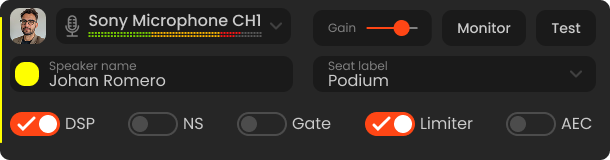
Any mic, mixer, or audio interface. Monitor levels and confirm signal.
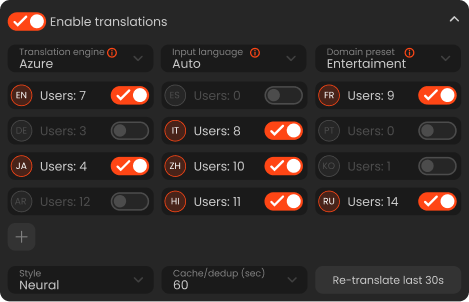
Auto-detect or set input language. Enable translation languages as needed.
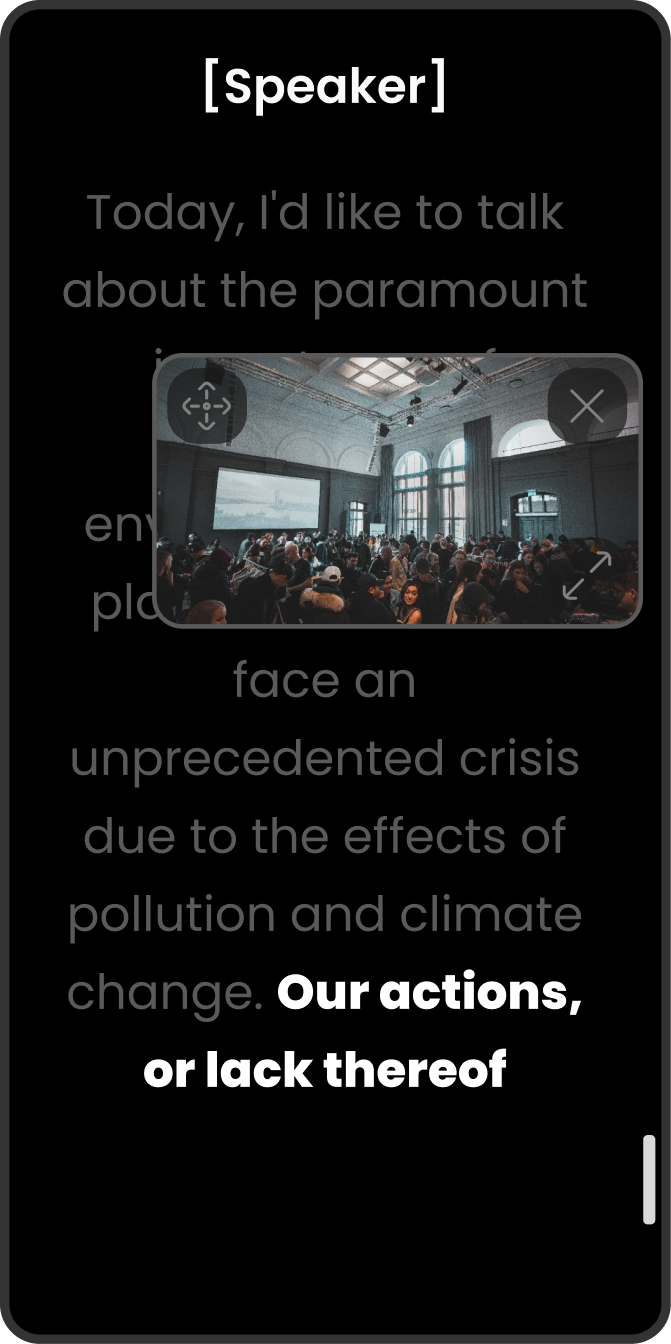
Audience phone view, stage display, embeds, and remote-control links.
Preflight gates the start. Confidence preview keeps operators in control.
Audience access opens in a browser with no app installation.
From film festivals and Q&As to broadcast and education, 4all.live scales with your format and your team.

Audience QR, Stage URL, Embed snippet, Integrations.

Engineer / Moderator / Display-only, token revocation.

Who changed what and when — perfect for live ops.
Simple, production-ready pricing
Pick the included transcription volume that matches your live program. Monthly usage allowances are shared by the organization; event and capacity limits apply as labeled.
Monthly transcription volume
Move between the exact included-minute stops to see the plan that fits your production.
Try live captions with one operator.
$0
Free forever
Professional live captions for growing teams.
$29/ member / month
Billed monthly
High-capacity production with multi-speaker workflows.
$79/ member / month
Billed monthly
Custom delivery, security, integrations and support.
Custom
Tailored to your organization
Need the details?
Compare every allowance, production output and support level.
Production readiness
Use the planning checklist for your first pass, then bring the event architecture and procurement requirements into a focused review with 4ALL.
Map captions, languages, interpreter video, listening, displays, streams, and fallbacks before choosing outputs.
Test the actual attendee browser, stage screen, graphics system, decoder, or audio endpoint used on show day.
Review privacy, service status, integrations, support, deliverables, and organization-specific requirements together.


Choose your next step
Open a free workspace now, or bring your event plan and production stack to a guided conversation with 4ALL LIVE.